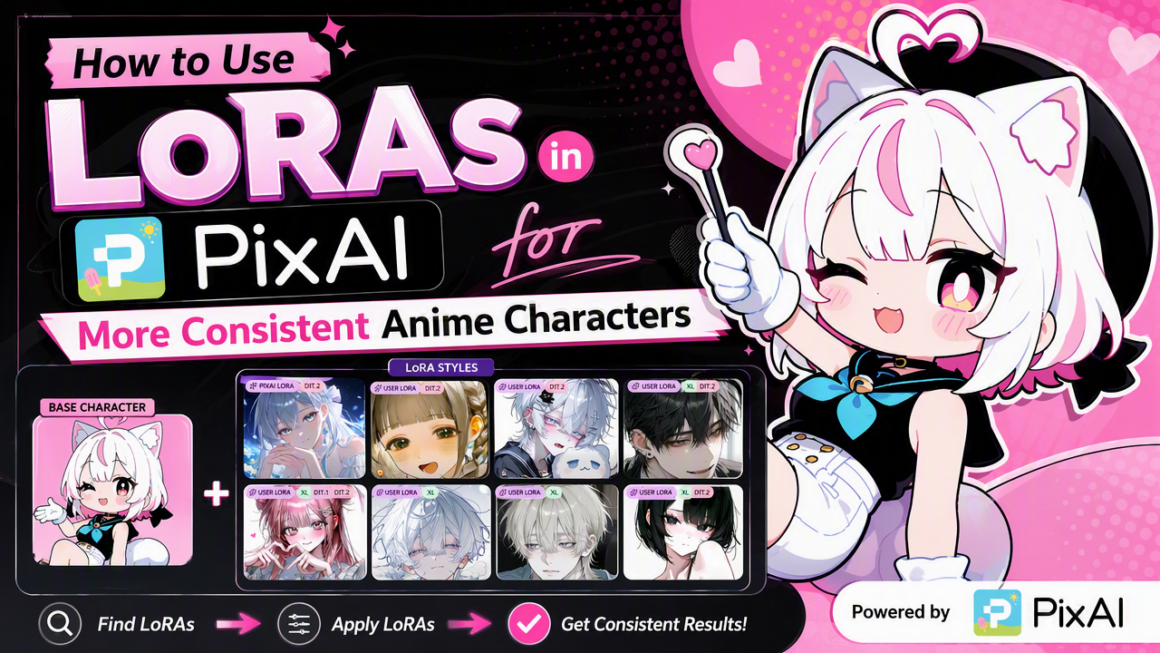
If you’ve ever generated a flawless anime character, you know how hard it is to get that exact look back again. Even minor prompt tweaks can cause wild inconsistencies, completely altering your character’s hairstyle, facial structure, or clothing.
That’s why I eventually stopped relying on prompts alone and started training my own Character LoRAs. Using just 10 reference images, you can teach a platform like PixAI exactly what your character looks like and reuse that identity across future generations.
When used correctly, a LoRA PixAI workflow can dramatically improve character consistency without forcing you to write enormous prompts every time.
In this guide, I’ll show you how to train a Character LoRA in PixAI, along with a few tips that will help you get much more consistent results.
How Do LoRAs Improve Character Consistency?
LoRAs inject specific visual data straight into an AI model without rewriting the whole system. Instead of typing endless character descriptions, you just need to load your LoRA to lock in those traits instantly.
You can get perfect results on PixAI with these rules:
- Use the exact trigger words in your prompt.
- Match it with a compatible anime base model.
- Dial the LoRA weight to medium before tweaking.
- Strip your prompt down to basics for testing.
- Move only one slider at a time.
If your character looks messy, you changed too many settings at once.
Why Character Consistency Often Requires Extra Attention
Every AI image starts as an idea in your head. While you already know what you want, the AI can only make informed guesses.
On top of that, anime image generators are designed to be random. So, even if you use the same prompt twice, the model will still wander off and do its own thing with faces, hair, clothes, and poses.
This randomness is great if you just want cool, one-off art. But it’s a total nightmare if you are trying to build an original character for a comic, a VTuber model, or consistent social media content.
Without guidance, your character will slowly drift from one image to the next until they look like a totally different person. PixAI character LoRAs basically act as a constant reminder to the AI, keeping your character looking like themselves every single time.
Should You Train Your Own Character LoRA?
If you’re building original characters, my answer is a definitive yes.
PixAI community LoRAs are awesome if you just want to generate popular anime characters or play around with trendy art styles. But if you’re designing your own OC, a VTuber avatar, or a full cast for a webcomic, training a custom LoRA is the only way to get results you can actually rely on.
The LoRA PixAI workflow is way easier than it sounds. Instead of wasting time writing lengthy prompts every time you need to generate your character, LoRAs allow you to feed your favorite model with 10 reference images of your character.
It takes about an hour to train a custom LoRA, and once trained, you will immediately have a reusable tool to quickly generate endless variations of your character for all your future projects. PixAI will know who your character is, letting you skip reference images and stop redescribing their face in every prompt.
How to Train Your Own LoRA in PixAI
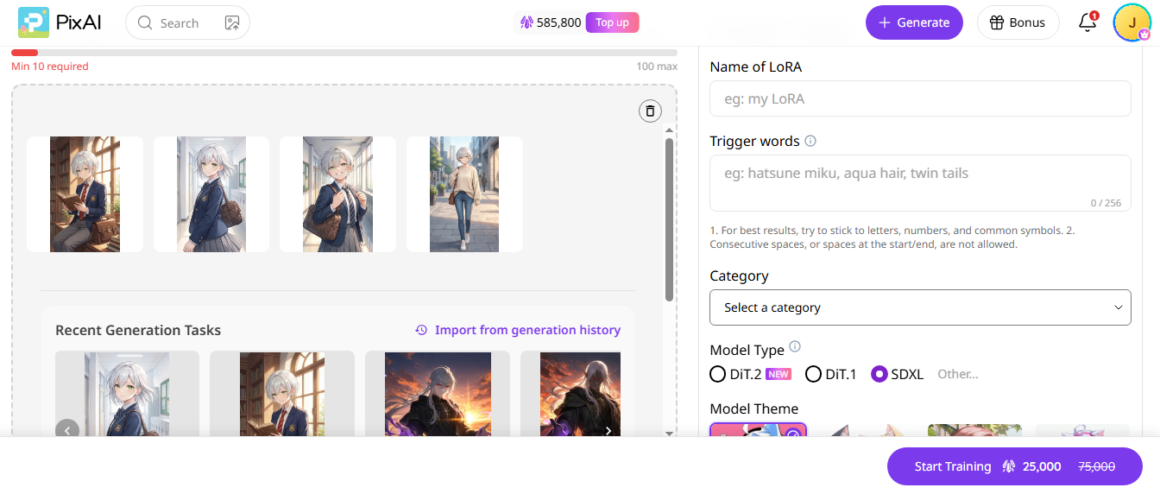
Here’s the simple way to train your LORA on PixAI
- Head over to the PixAI LoRA training dashboard.
- Upload your images.
- Enter a name for your LoRA on the right-hand side.
- Enter your trigger words.
- Select a category. Options include Character, Style, Animal, Clothing, and Realistic.
- Pick a model type and theme.
- Click “Start Training”
Give it some time to run the training cycle, and your LORA will be ready.
Start With the Right LoRA
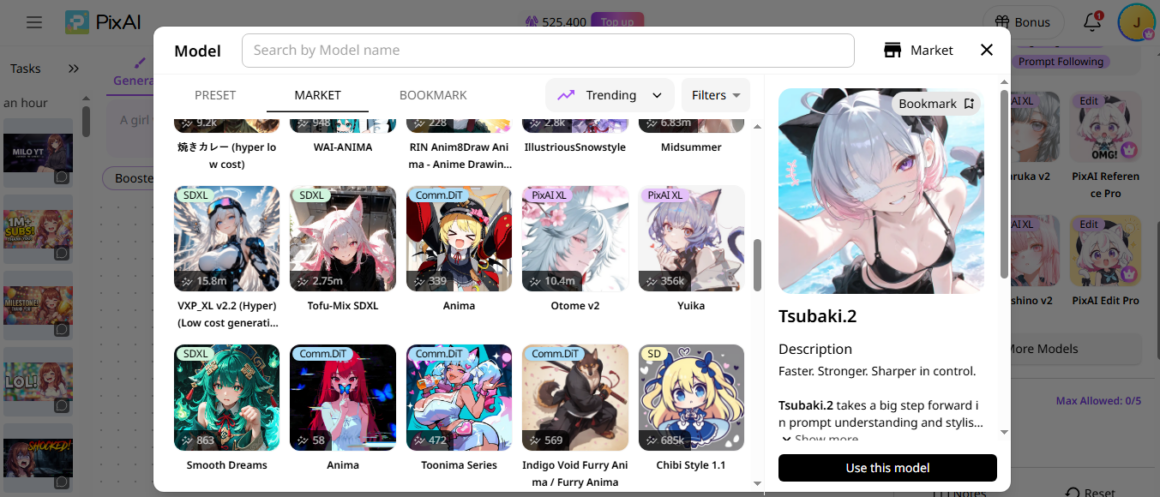
If you don’t want to go through the hassle of training your own LoRA, you need to know how to pick the right pre-made option from the market.
Not all LoRAs are built for the same job. Before you even think about hitting generate, you need to know exactly what kind of tool you’re holding.
First, character LoRAs are built to lock down a specific person or OC. They force the AI to retain facial structures, unique hairstyles, signature clothes, and color palettes.
On the other hand, Style LoRAs control the overall aesthetics. For instance, it can turn your image into a gritty manga panel or a soft watercolor painting without locking down an individual face.
If you try to force a Style LoRA to keep your anime character’s face consistent, you’re going to have a tough time. But don’t worry, PixAI makes it easy for you to pick the right LoRA since creators label their work. Just spend a few seconds reading the description before you waste your credits on the wrong option.
Don’t Skip the Trigger Words
One of the biggest mistakes beginners make is assuming a LoRA just works automatically the second you click it. Many LoRAs require one or more trigger words to activate properly.
Your trigger word acts just like a remote control button. The AI holds all that training data in the background, but won’t apply until you enter that specific word into your prompt.
For example, if a character LoRA is trained using the keyword ‘akari_v2’, and your prompt simply says ‘1girl, smiling, school uniform,’ the LoRA might only have a subtle effect.
But changing the prompt to ‘akari_v2, 1girl, smiling, school uniform’ can dramatically improve consistency because you actually told the LoRA to activate.
Note that some creators get super detailed and include extra trigger words for different outfits, hair swaps, or facial expressions. So, before you start creating, always check the creator’s notes for trigger words.
Finding the Sweet Spot with LoRA Weight
The weight determines how much power LoRA has over your final image. A common misconception is that higher always means better. It doesn’t.
If the weight is too high, the LoRA overpowers your prompt. On the other hand, if the weight is too low, the LoRA barely affects the image. Just move the slider bit by bit until you hit the perfect sweet spot.
A huge plus with PixAI is that you can tweak LoRA weights on the fly and see immediate updates. If you want to stop guessing and set the right weight every single time, this guide helps master LORA weights.
Choose a Compatible Base Model
Even an amazing LoRA can look terrible when paired with the wrong base model.
Most character LoRAs are trained using specific anime models. If you switch to a totally different base model style, your LoRA won’t work well. Always match your LoRA to the right base model architecture.
Keep Your Prompt From Fighting the LoRA
If you load a character LoRA that was trained on long black hair, but then you type “short blonde hair” into your prompt, you’re giving the AI totally conflicting rules. The LoRA is pulling one way, your prompt is pulling the other, and you usually end up with some weird middle ground.
When testing a new LoRA, keep your prompt simple and start with only the core character description. Once you’re happy with how they look, you can slowly start adding in backgrounds, cool lighting, and fun poses.
Can You Use Multiple LoRAs?
One of the coolest features on PixAI is that you can stack a bunch of different LoRAs into a single generation. You can easily layer:
- A character LoRA
- An outfit LoRA
- A background LoRA
This opens up some wild, creative ideas. But things get messy fast when all these different LoRAs start competing for control over the final image. If you try to mix two different character LoRAs that have completely different facial structures, the AI gets confused, and consistency goes out the window.
If you’re trying to nail down character consistency, always start with just one character LoRA. Once you get that working perfectly, you can start introducing other LoRAs one at a time. That way, you can see exactly how each new addition alters the final look.
Final Thoughts
If you’re serious about creating recurring anime characters, LoRAs are absolutely worth learning. Whether you’re training your own or using one from the PixAI community, they save you from rewriting the same character description over and over again.
Once you’ve found the right LoRA, the rest comes down to experimentation, and PixAI is the right platform for that. Just tweak the weights a bit, stick to compatible models, and don’t overcomplicate your prompts early on. It takes a little trial and error at first, but before long, you’ll have a solid character you can regenerate into any scene, outfit, or expression.