
Ever wanted to know the one secret to broadcasting flawlessly?
Welcome to the brave new world of remote production.
Broadcasters are abandoning expensive on-site setups and moving everything to the cloud. And one of the reasons it doesn’t work is if you don’t have the right broadcasting equipment.
Remote production is the ability to broadcast live events, from anywhere, without taking big, expensive production trucks to the venue.
The live IP broadcast equipment market from suppliers such as Thor Broadcast is booming right now with revenue growing from $1.84 billion in 2024 all the way to an estimated $5.66 billion by 2031.
This is massive growth of a market that supplies both broadcasting equipment and the tech infrastructure you need to build on.
The problem is that choosing the wrong equipment, not choosing equipment that works together, that can set you back thousands in lost revenue and frustrated viewers.
In this complete guide, we will cover everything you need to know to choose the right broadcasting equipment for remote production.
Here’s what you’ll discover:
- The Basics of Remote Production
- Essential Broadcasting Equipment You Need
- Setting Up Your Remote Production Workflow
- Avoiding Common Equipment Mistakes
What Is Remote Production?
Remote production is a broadcast production workflow where live broadcasts are created without all production personnel and hardware physically present on-site.
Instead of deploying an entire production truck at the venue, a small team will take only the cameras required and perform the production remotely from a central location or in the cloud.
Remote production can be cost-effective as it reduces travel, logistics, and crewing expenses.
It’s also extremely flexible and can be used for a wide variety of events.
Why Broadcasting Equipment Choices Matter
Here’s the problem:
Broadcasters jump into remote production without understanding the right combination of equipment they will need. After the fact, they find that the encoders and cameras they chose can’t meet their latency requirements.
The remote video production market size is projected to grow annually by 11.5% with 2024 – 2031 as more broadcasters find the right combination of equipment.
When you make the right choices up front, your job is a lot easier.
Essential Broadcasting Equipment For Remote Production
Let’s talk about the basics…
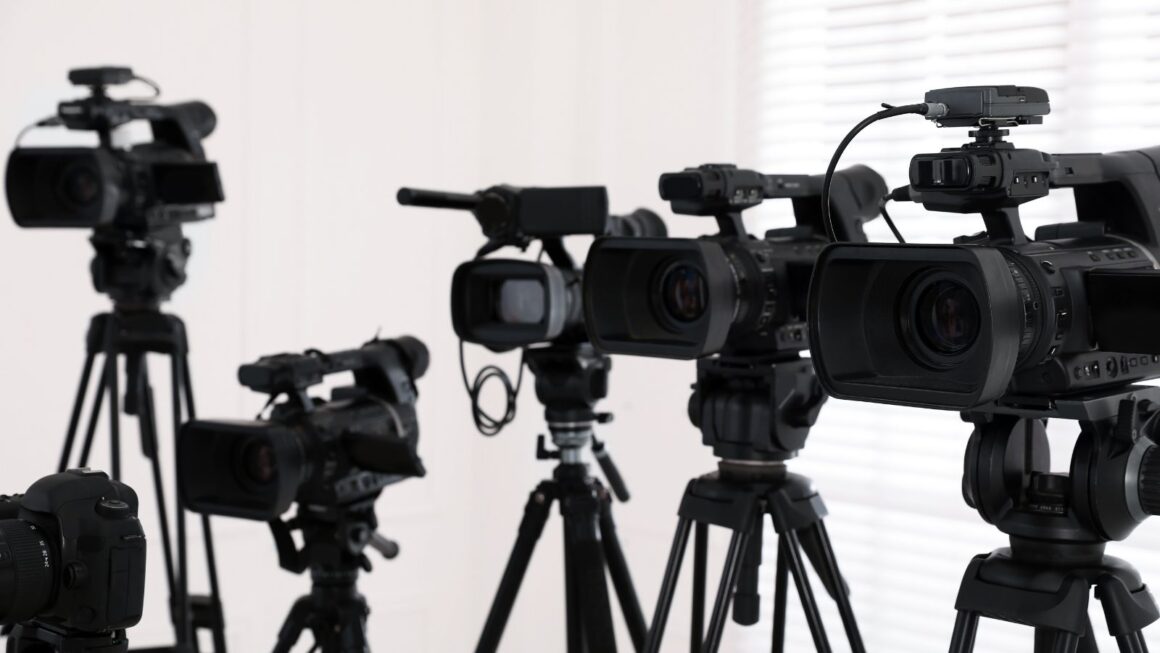
Cameras That Work Remotely
Your camera choices are the most important decisions.
The following are the basic criteria of cameras that can be used in remote production:
- Network connectivity: Network Direct (NDI), Secure Reliable Transport (SRT) and SMPTE ST 2110 support
- Remote control interfaces for PTZ functions
- High-quality image sensors
- Low-latency encoding support
PTZ cameras are ideal since they can be controlled by an operator from anywhere.
Encoders: Your Signal Conversion Workhorses
Broadcast encoders convert video and audio from the cameras into IP streams that can be transported over the internet.
The encoders you will need for remote production should support modern compression codecs like H.265 or AV1 which offer better quality at lower bitrates.
Fun fact: Encoders held the largest market share in 2024 at 22.5% among broadcasting equipment segments because they are 100% essential to modern setups.
Network Infrastructure You Can Trust
Your network is the foundation of everything.
Here’s what you need:
- Dedicated, reliable internet connections with enough upload bandwidth for all your video and audio streams
- A low-latency routing path under 100ms
- Redundant backup internet connections
Bonded cellular connections are commonly used as backup
Video Switchers & Production Software
Video switchers are used to switch between cameras, add graphics, and output a final feed for streaming.
There are two primary types of switchers used in remote production workflows:
Hardware Switchers: Physical control panels that operators use to switch between video feeds and add graphics. Great for broadcasters that want their operators to stick with traditional workflows.
Software Solutions: Cloud-based video production software that can do the switching and graphics remotely. Tend to be more flexible, with lower overall costs.
The industry is trending toward software solutions.
Audio Equipment That Doesn’t Compromise
Don’t skimp on the audio.
Bad audio is worse than bad video.
A viewer might put up with sub-par video quality but turn off at the sound of crackly, noisy audio.
For remote production, you will need:
- Digital audio interfaces with network connectivity
- Good quality microphones
- Audio mixing capabilities
- Redundant audio paths (multiple audio sources and paths)
The use of Dante and AES67 audio-over-IP systems is common among broadcasters.
Building Your Remote Production Setup
OK, so how do you actually put all of this together?
Start by mapping out your workflow. Draw a diagram of how video and audio will flow from the venue to the viewer.
A simple example would be:
- Cameras encode video as IP streams
- IP streams sent to production facility
- Switcher selects camera angles and adds graphics
- Final output encoded for streaming
- Viewers see the live feed on their devices
Simple enough right?
This is where people often go wrong… by not testing everything before going live.
Set up test events. Run your whole workflow. Watch for problems that you would rather discover in a test than in live production.
Latency Management Is Critical
Latency is the number one enemy of remote production.
Latency is the time it takes for a packet of data to move from the camera to a viewer.
Each piece of hardware in your workflow adds some latency.
Audio and video compression also adds latency.
Keep the total end-to-end latency under 1-2 seconds for live sports. Compression codecs are important because they reduce bandwidth requirements and lower latency. Use protocols like SRT and RIST that are optimized for broadcast applications.
Common Equipment Mistakes To Avoid
Here are a few of my favorites…
Mistake #1: Buying equipment without calculating bandwidth. First, do the math, then buy.
Mistake #2: Planning production with no thought of redundancy. Always have a backup plan.
Mistake #3: Mixing equipment with different and incompatible standards.
If you buy a bunch of SRT-only gear, it won’t work with other streaming protocols.
Mistake #4: Underestimating power requirements. Make sure the venue has enough power outlets.
Mistake #5: Neglecting on-site support. You must have someone on location that knows how all of this stuff works.
Future-Proofing Your Investment
Broadcasting equipment is expensive.
You want to buy gear that will last for years.
Look for:
- Software updatable gear to allow for protocol updates and new features
- Equipment that is standards compliant and supports NDI, SRT and ST 2110.
- Scalable systems that can grow as needed
- Vendor supported products
The industry is moving to IP-everything. Gear that’s IP-native will have a longer lifespan.
Getting Started With Remote Production
Buy the least amount of equipment you can to start small.
Pick an event type that you want to produce. Choose an event that is the most representative of your needs.
Build a setup just for that event type. Test it thoroughly.
Add more events and additional equipment later.
Many broadcasters start with simpler events like panel discussions. These help you get comfortable with the basics and then you can tackle more complex events like multi-camera sports.
Choose vendors that specialize in remote production and have the necessary experience.
Wrapping Things Up
Remote production is not a fad.
The broadcast equipment market is expected to grow to $9.38 billion by 2033 because this technology is a massive shift in how content is produced.
Selecting the right broadcasting equipment means understanding your needs and your workflow and then carefully selecting each piece of equipment.
Planning for redundancy is critical.
Don’t rush the equipment decision. Make sure that you understand the role each piece of equipment plays in your production. Talk to other broadcasters that have already made the switch.
The money you spend on the right broadcasting equipment saves money by reducing costs, producing better content, and offering new flexibility to cover events, anywhere.