Creative teams are expected to produce more content than ever. Whether it’s social media graphics, ad campaigns, videos, or presentations, everything needs to be created quickly without sacrificing quality.
That’s one of the reasons AI has become such an important part of the creative process. The right tool can help teams come up with ideas faster, create content more efficiently, and spend less time on repetitive tasks.
The challenge is choosing the right platform. Some tools are great for image generation, others focus on video, while some try to bring everything together in one place.
In this guide, we’ll look at three of the best AI tools for enterprise creative teams in 2026: Krea AI, Adobe Firefly, and Runway.
How We Chose These Tools
Not every AI tool is built for large creative teams.
Instead of comparing long lists of features, we focused on what actually matters when multiple people are working on creative projects.
Here’s what we looked at:
- Creative features
- Collaboration tools
- Ease of use
- Flexibility
- Enterprise features
So, based on these, here are the three platforms that stood out the most to us.
1. Krea AI
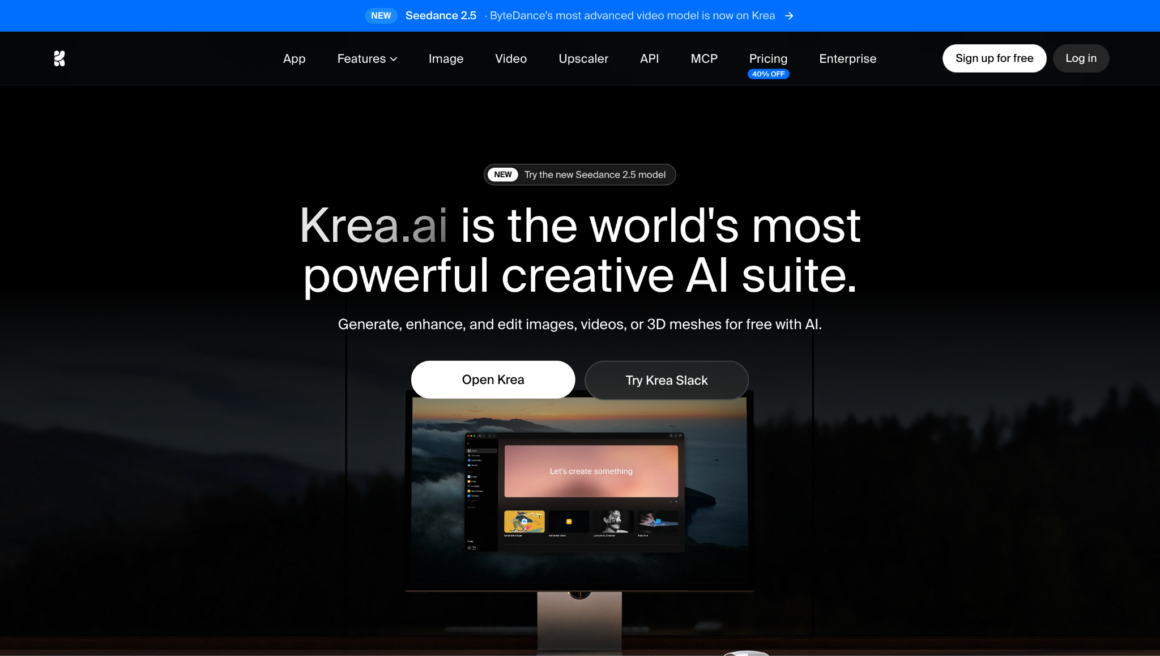
If your team creates different kinds of content every day, Krea AI is one of the most complete platforms you can choose.
What makes it different is that it doesn’t just focus on one thing. Instead of using one tool for images, another for video, and another for editing, Krea brings everything together in one place.
Key features
- More than 60 AI models
Krea gives you access to its own Krea 2 model, along with more than 60 other AI models. That means your team can compare different styles and choose the one that works best without paying for multiple platforms.
- Create more than just images
Besides image generation, Krea also lets you create videos, animate images, edit artwork, build 3D assets, and upscale images up to 22K. It’s designed to support the whole creative process, not just the first draft.
- Built for teams
Business and Enterprise plans include shared workspaces, custom user roles, Slack integration, audit logs, and other collaboration tools that make it easier for teams to work together.
- Easy to use
Even though Krea has a lot of features, the interface stays clean and simple. New users can usually start creating straight away without spending hours learning the platform.
Limitations
- Larger teams will probably need a Business or Enterprise plan.
Best for: Teams looking for one platform that can handle images, video, editing, and collaboration.
2. Adobe Firefly
If your team already uses Photoshop or other Adobe apps every day, Adobe Firefly is an easy choice.
Instead of asking designers to switch to a new platform, Firefly adds AI features directly into the Adobe tools they’re already familiar with.
Key features
- Works inside Adobe Creative Cloud
Firefly is built into apps like Photoshop, Illustrator, and Adobe Express, making it easy to add AI to your existing workflow.
- AI editing tools
Features like Generative Fill and Generative Expand help teams remove objects, extend images, replace backgrounds, and create new design ideas much faster.
- Designed for commercial work
Adobe says Firefly is trained on licensed content, Adobe Stock, and public-domain material, making it a popular choice for businesses creating commercial content.
- Familiar collaboration
Teams can continue using Creative Cloud Libraries and shared cloud documents without changing the way they already work.
Limitations
- It’s best suited to teams already using Adobe software.
- It focuses more on editing than giving users lots of different AI models.
Best for: Businesses already working in the Adobe Creative Cloud ecosystem.
3. Runway
If your team creates a lot of videos, Runway is one of the best AI tools available.
It’s built to help creative teams make videos faster while cutting down the amount of manual editing involved.
Key features
- AI video generation
Runway can create videos from text prompts or images, making it useful for marketing campaigns, product launches, and social media content.
- Faster editing
The platform includes AI tools for tasks like removing backgrounds, tracking objects, and editing videos, helping teams finish projects much more quickly.
- Team collaboration
Shared workspaces make it easier for multiple people to work on the same project without constantly moving files between different tools.
- Built for video-first teams
While Runway also includes image tools, video is where it really stands out.
Limitations
- Better suited to video production than image-focused design work.
- Some of the more advanced features require higher-tier plans.
Best for: Creative teams and agencies producing lots of video content.
Conclusion
Each of these tools has something different to offer, so the right choice really depends on your team’s needs.
If your team works across different types of creative projects, Krea AI stands out because it brings so many tools together in one platform. That means less time switching between apps and more time creating.
Adobe Firefly makes the most sense for teams already working in the Adobe ecosystem, while Runway is a great choice for businesses producing a lot of video content.
Whichever platform you choose, the goal is the same: helping your team work faster without making the creative process more complicated.