A UGREEN NAS setup makes the most sense when you want one place to organize, protect, and access important files without relying entirely on monthly cloud storage.
Does this sound familiar: family photos live on two phones, old tax files sit on a laptop, video projects are split across external drives, and nobody is fully sure what is backed up? A well-planned NAS setup solves that mess by creating one controlled storage hub, automating routine backups, and making recovery much easier after accidental deletion, device loss, or workflow mistakes. This guide shows where NAS delivers real value for homes and small studios, where its limits are, and how to set it up in a practical way.
Why Homes and Small Studios Outgrow Scattered Storage
The real problem is not just space
Most people start with whatever is easiest: a laptop drive, a cell phone, a portable SSD, and one or two cloud folders. That works for a while, but over time it creates duplicate files, missing versions, and constant uncertainty about which copy is current. For families, that means photo libraries spread across devices. For small studios, it means raw footage on one drive, exports on another, and client revisions buried in email attachments.
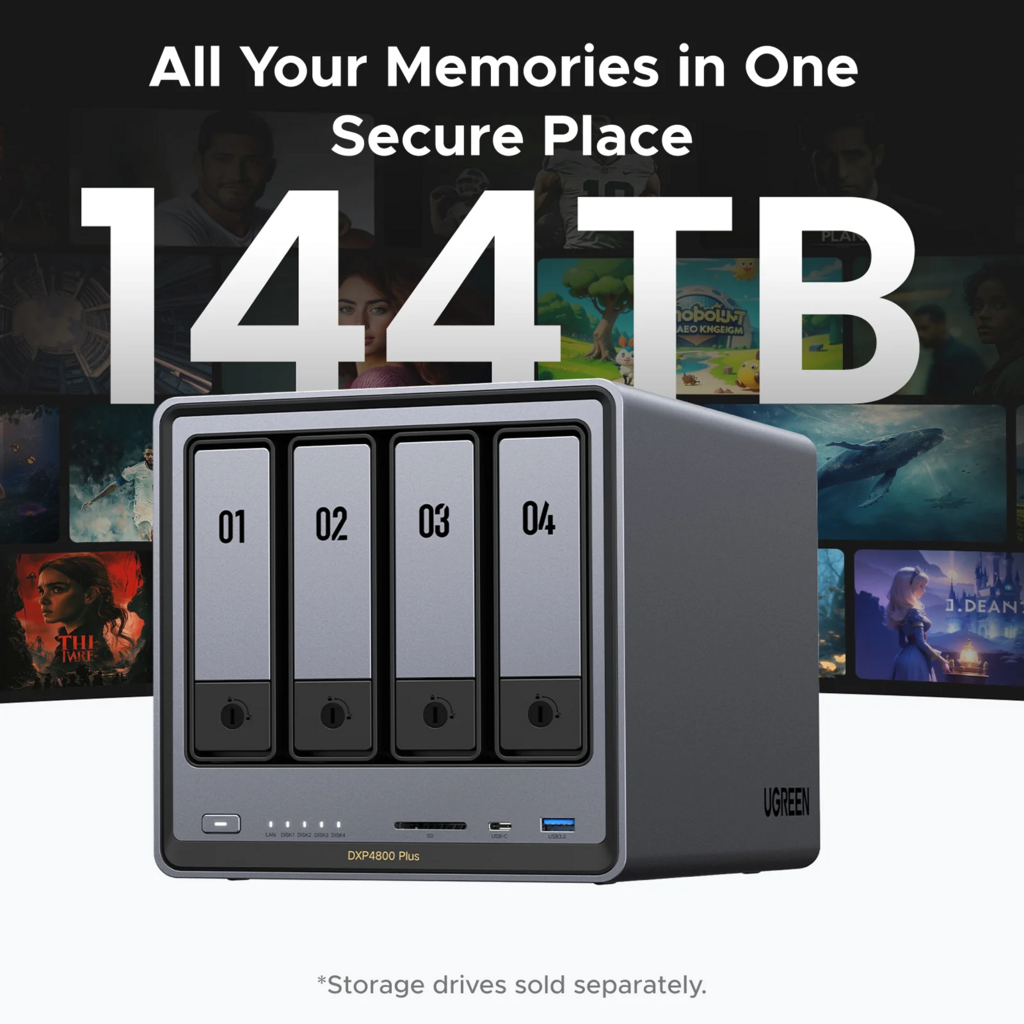
NAS Storage changes the structure of that problem. Instead of asking where a file might be, you create one main location for photos, documents, media, and project assets. Shared folders, naming rules, and a predictable archive structure make the collection easier to browse and maintain over the long term.
Centralization improves daily access
A NAS is valuable because it stays available on the home or studio network, so multiple devices can reach the same file library without passing a drive around. That makes everyday tasks simpler: uploading photos from a phone, opening a project from a desktop, reviewing exports on a laptop, or sharing household records with another family member.
For small teams, separate user accounts and permission-based folders reduce confusion. One person can access client deliverables, another can review drafts, and source files can stay protected from accidental edits. That is often a bigger productivity gain than people expect.
How NAS Creates Value Beyond Cloud-Only Storage
Ownership, privacy, and control
When people look into UGREEN NAS, they are often really asking a broader question: how much of their digital life should stay under their own control? A NAS gives homes and small studios a private storage hub where the owner controls account access, retention habits, and sharing permissions rather than placing everything in third-party hosted storage.
That does not make a NAS magically secure. It does, however, improve data sovereignty. Sensitive family documents, client work, archived photos, and media libraries remain under local ownership, which matters if you want fewer dependencies, clearer access rules, and more confidence about where important files live.
Cost control over time
Cloud storage is easy to start but often becomes more expensive as photo libraries, video projects, and backup archives grow. A NAS shifts more of the cost toward an owned storage setup, with ongoing expenses mainly tied to power, maintenance, and future drive replacement. For large personal libraries or growing creative archives, that can be easier to manage than stacking recurring storage bills year after year.
The practical point is not that cloud storage is useless. It is that a NAS can reduce subscription pressure by handling the bulk of everyday storage locally, while offsite copies are used more selectively for disaster recovery.
Where NAS Helps Most in Real-World Workflows
Family files and household records
For a household, the biggest win is often consistency. A NAS can hold family photos, scanned records, school files, home videos, and shared documents in one structure instead of scattering them across old phones and forgotten drives. A simple folder system by year, month, event, or document type makes retrieval much easier later.
This also reduces the “who has the latest copy?” problem. If one parent updates a document or uploads photos from a weekend trip, everyone with permission can access the same organized library instead of creating new duplicates on different machines.
Creative teams and small studios
For photographers, video editors, designers, and small content teams, a NAS helps centralize originals, edits, exports, and archived deliveries. That matters because creative work tends to generate large files, repeated revisions, and valuable source material that may need to be reused months later.
A controlled shared storage space also improves handoffs. One collaborator can upload raw assets, another can review work-in-progress, and final exports can be separated from source files. When the folder structure and file names are consistent, the whole workflow becomes easier to search, audit, and back up.
Media libraries and entertainment
A NAS is also useful outside work. Homes with large media collections benefit from keeping personal videos, music, and photo libraries in one place that can be reached from phones, computers, or TVs on the local network. The value is less about “more storage” and more about dependable access to a library you actually own and can organize properly.
That same logic helps small studios that keep reusable footage, sound assets, templates, or reference files. Instead of re-downloading or hunting through old drives, the team has one controlled archive that stays available.
Backup, Redundancy, and Recovery: The Part People Misunderstand
Redundancy is helpful, but it is not backup
This is one of the most important NAS lessons. Redundancy can help keep files available when a drive fails, but it does not protect against accidental deletion, malware, corruption, theft, fire, or a bigger hardware problem affecting the whole unit. In other words, a resilient storage layout is useful, but it is not the same thing as a full backup plan.
That is why storage professionals still rely on the 3-2-1 backup rule: keep three copies of important data, use two types of storage, and keep one copy offsite. For a home or small studio, that usually means the NAS is the central working library, not the only place that matters.
Recovery planning matters more than capacity
Automated backups, snapshots, and file versioning are where NAS becomes much more valuable. They help protect against overwritten project folders, deleted family photos, and the common “I saved over the wrong version” mistake. Immutable or versioned copies add another layer by preserving earlier states that can be restored later.
The other overlooked step is testing. A backup plan is only real if you can restore from it. Open sample files, review backup logs, and confirm scheduled jobs are actually completing. Many people do the copying step but skip the verification step, which is where recovery plans quietly fail.
Remote Access and Sharing Without Creating New Risks
Anytime access is useful, but it needs guardrails
Remote access is one of the most attractive NAS benefits. It lets you reach household documents while traveling, review a client export away from the studio, or pull a photo archive from another location. For families and small teams, that flexibility can remove a lot of friction from daily life.
But an always-on storage system should not be exposed carelessly. Strong passwords, two-factor authentication, encrypted connections, regular updates, and protected access methods are the practical baseline. Separate user accounts also matter because shared logins make tracking and limiting access much harder.
Sharing should be organized, not improvised
NAS sharing works best when it is intentional. Give each person their own account, use folder permissions, and separate shared areas from private ones. A family might use common folders for photos and household records, while a small studio might split current projects, client reviews, and final deliveries.
This approach improves both convenience and damage control. If one device is compromised or one user makes a mistake, the impact is easier to contain than in a flat storage setup where everyone can change everything.
What Actually Determines NAS Performance at Home
The full path matters more than one upgrade
People often assume a faster network port alone will make a NAS feel dramatically quicker. In practice, file transfers depend on the whole path: the NAS, the drives, the switch, the cables, and the client device all have to keep up. In home and small-studio setups, the slowest part of the chain often sets the real speed.
That means balanced planning matters more than isolated upgrades. If you move large video files, back up several devices, or stream media to multiple screens, stable networking and dependable storage matter together. Faster local networking helps internal transfers, but it will not fix an internet connection bottleneck when you are working remotely.
Reliability is part of performance
Unstable cabling, older devices, or mismatched network equipment can cause transfers to fall back to lower speeds or behave inconsistently. For most homes and small studios, consistency is more valuable than chasing headline speed. A predictable file transfer experience is what makes daily backups, media access, and project collaboration feel smooth.
That is especially true for shared environments. When several people use the same storage library, a balanced setup usually delivers better real-world results than one premium component surrounded by weaker links.
NAS Storage Options at a Glance
| Option | Best fit | Main strength | Main limitation | Long-term value |
|---|---|---|---|---|
| External drives only | One person with a small file library | Simple and familiar | Easy to lose track of versions and backups | Low if files keep growing |
| Cloud-only storage | Light document use and easy offsite access | Convenient from anywhere | Recurring fees and less local control | Moderate for small libraries |
| NAS-centered storage | Families, creators, and small studios | Centralized access, ownership, and workflow organization | Needs setup, maintenance, and backup planning | High for growing libraries |
| NAS plus offsite backup | Important family memories and active creative work | Stronger resilience and recovery options | More planning required | Highest for critical data |
Action Checklist for a Practical NAS Setup
- Put all active photos, documents, and project files into one clear folder structure.
- Create separate user accounts instead of sharing one login.
- Use consistent file names with dates, project names, and version markers.
- Turn on automated backups for laptops, desktops, and phones.
- Keep the NAS as one copy, not the only copy.
- Maintain at least one offsite backup for irreplaceable files.
- Test restores regularly by opening sample files and checking backup logs.
FAQ
Q: Is a NAS better than external drives for a family photo library?
A: Usually yes, if the library is spread across multiple devices and keeps growing. A NAS makes organization, shared access, and automated backup much easier, but it should still be paired with another backup copy.
Q: Can a NAS replace cloud storage completely?
A: It can reduce how much cloud storage you need, especially for large local libraries, but full replacement is not always the best choice. Many homes and small studios get the best results by using NAS for primary storage and a separate offsite copy for recovery.
Q: Does redundancy mean my files are fully protected?
A: No. Redundancy helps with drive failure, but it does not replace backup. Deleted files, ransomware, corruption, theft, or major hardware failure can still affect the entire system.
Final Takeaway
UGREEN NAS is most useful when you think of it as a storage strategy, not just a box for extra space. For homes, it reduces file chaos and protects family memories with better organization and backup habits. For small studios, it improves shared access, archive control, and workflow consistency.
The highest-value setup is the one that stays simple: centralize files, control access, automate backups, and keep a separate recovery copy. If you do those four things well, a NAS becomes a practical long-term foundation for both everyday storage and more resilient digital ownership.