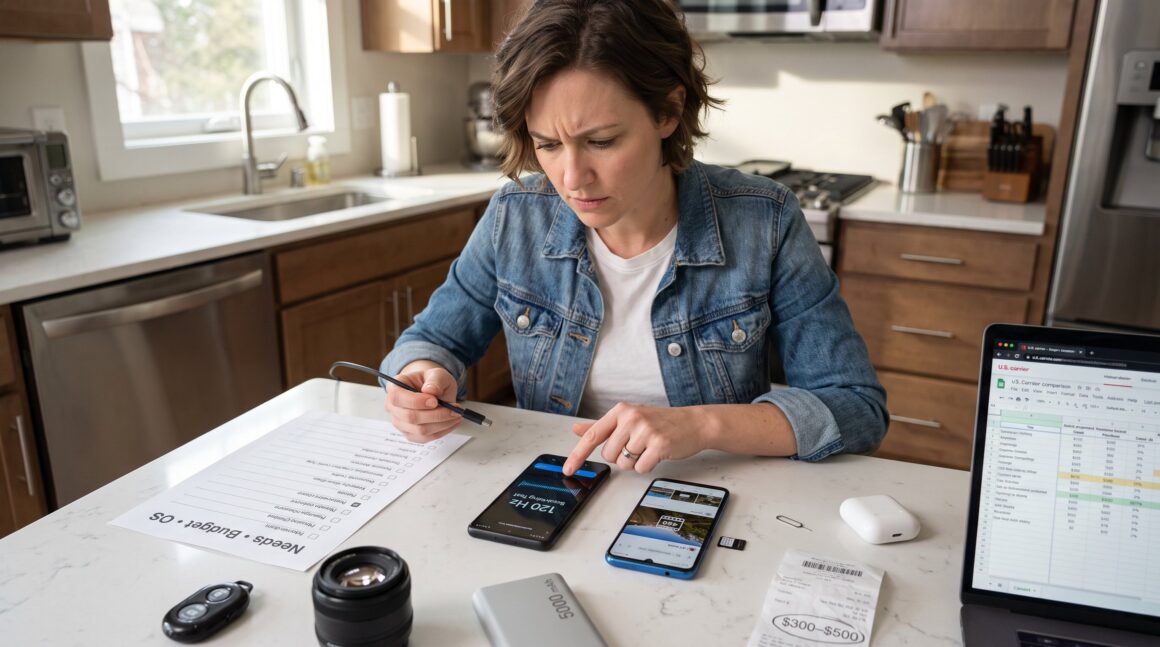
How to evaluate a new smartphone before you buy starts with three decisions: needs, budget, and operating system. The reader should decide primary use, gaming, photography, or productivity, and set a firm budget band (budget, mid‑range, flagship). They should pick an ecosystem (Android or iOS) that matches apps, accessories, and cloud services they already use. This short checklist prevents buyer’s remorse and speeds comparison shopping, giving concrete criteria to weigh screens, cameras, battery life, and long‑term updates before money exchanges hands.
Key Takeaways
- Evaluating a new smartphone starts with defining your primary needs, budget, and preferred operating system to streamline choices effectively.
- Prioritize specifications like RAM, storage, battery capacity, and performance benchmarks that match your intended use, such as gaming or photography.
- Choose smartphones with modern SoCs and verified sustained performance to avoid thermal throttling and ensure smooth daily use.
- Consider battery life and charging speed aligned with your routine, and verify long-term OS and security update support for device longevity.
- Assess display quality, camera features beyond megapixels, and build durability through hands-on tests or reliable reviews to ensure satisfaction.
- Perform in-store testing of screen responsiveness and camera, verify warranty and carrier compatibility, and negotiate price or bundles before finalizing purchase.
The Essential Pre‑Purchase Checklist — What To Decide First
Decide needs, budget, and OS first. That single choice shapes every later trade‑off: a gamer needs a fast SoC and high refresh display: a traveler wants long battery life and broad 5G band support: a creator prioritizes camera sensors and storage.
Start with three concrete items:
- Primary use: list the top two tasks (example: 1) mobile gaming with Bluetooth controller, 2) nightly vlogging). This clarifies RAM and camera targets.
- Budget band: set a firm range (example: $300–$500 mid‑range). Limits simplify feature tradeoffs and prevent impulse upgrades.
- Ecosystem: choose Android or iOS based on apps, laptop sync, and accessories. If a user already owns Apple Watch or AirPods, iOS often saves friction.
Next, map must‑have specs to use. For example, a traveler should require carrier bands n77/n78 for global 5G coverage and at least 128 GB storage. A photographer should require OIS and 4K60 video. These tangible constraints reduce options from dozens to three or four.
A buyer can also consult related device strategy pieces on the site for context: for example, the overview of emerging tech offers insight into how device roles change over time when planning a two‑year phone cycle: emerging tech moves.
Performance, Memory And Battery Life: What Really Matters
Aim for practical minimums: 6–8 GB RAM and 128–256 GB storage for general use, with higher amounts for gaming or heavy media. Modern midrange and flagship chipsets deliver better longevity and resale value: avoid two‑year‑old low‑end SoCs when smoothness matters.
Pick battery targets tied to real outcomes. For day‑long use with mixed screen time and background syncing, choose 4,500–5,000 mAh or larger. In a 2026 test scenario, a 5,000 mAh phone with efficient software lasted 14 hours of mixed use versus 9–10 hours on a 4,000 mAh device. That difference matters on travel days.
Storage choices should reflect behavior. If a buyer shoots raw or 4K video, 256 GB or microSD expansion prevents mid‑trip panic. Confirm whether the phone supports expandable storage, and whether cloud backups are automated in the chosen ecosystem.
Finally, consider thermal stability. High sustained CPU clocks keep frame rates steady in games. Look for reviews that measure throttling during 30‑minute gaming sessions and real‑world multitasking tests to verify claimed performance.
Processor, Benchmarks And Real‑World Performance
Choose a current‑generation SoC for longevity. For Android, recent Snapdragon 8‑series or equivalent chips are reliable: for iOS, modern A‑series chips lead efficiency and single‑core speed.
Check benchmarks but prioritize real use. AnTuTu scores near 400k+ in 2026 generally indicate smooth midrange performance: flagship chips often exceed 900k. But, benchmarks don’t show thermal throttling. Read reviews that include 20–30 minute stress tests and frame‑rate logs in demanding titles.
Practical test to run in store or via video review: open three large apps, stream 15 minutes of 4K video, then play a demanding game for 15 minutes. If the phone drops frames or becomes hot to the touch against the index finger, that model likely throttles in daily use. Buyers should favor devices that maintain steady performance rather than short bursts of speed.
Battery Capacity, Charging Speed And Long‑Term Longevity
Look for capacity and charging that match the buyer’s routine. For commuters or heavy streamers, 5,000 mAh provides buffer for long days. For quick top‑ups between meetings, charging at 25–45W is practical: 65W+ charging matters when a phone must reach 50–70% in 15–20 minutes.
Also verify charging standards and battery health features. Does the phone support common USB‑PD profiles or a proprietary fast charger only? Proprietary chargers create replacement hassles and costs. Confirm battery preservation options like optimized charging schedules and percent‑based health limits.
Longevity is about cycles. Prioritize phones with guaranteed OS and security updates for at least 3–5 years. That extends usable life and preserves resale value. When a device gets two more major OS updates, it usually stays secure and compatible for longer than cheaper models that drop updates after a year or two.
Display, Camera, Build Quality And Everyday Useability
State the key criteria first: display clarity, camera capability, and durable build determine daily satisfaction.
Display: Choose at least FHD+ resolution with AMOLED for deep blacks and efficient power use, or high‑quality IPS as a budget trade‑off. A 90–120 Hz refresh rate feels noticeably smoother during scrolling and gaming. Confirm HDR support (HDR10+ or Dolby Vision) if streaming is important.
Camera: Evaluate sensor size, aperture, OIS, and low‑light samples, not just megapixels. A 50 MP sensor with OIS will usually outperform a 108 MP unit that crops aggressively. Test 4K60 video stabilization and night mode photos in third‑party reviews to see real results.
Build: Check IP rating (IP68 preferred) and glass type (Gorilla Glass Victus or comparable). Hold the phone for a minute to judge ergonomics, weight distribution and button placement matter across long calls. A phone that feels balanced in one hand reduces drop risk and improves one‑handed typing.
Practical warning: flashy nominal specs can mask poor software tuning. Two phones with similar cameras can produce very different results when image processing differs. Trust measured comparisons, not just spec sheets. For broader buying framework and device categories, the site’s pillar overview explains these trends: device overview.
In‑Store Testing, Warranty, Price Negotiation And Final Purchase Steps
Test the phone in hand before purchase. First, check screen responsiveness and brightness under store lighting. Then shoot three quick photos: close macro, indoor low light, and moving subject. Play a short game to confirm touch latency and heat. These simple checks reveal comfort and real performance.
Confirm warranty and service policy. Ask about official repair centers and typical turnaround times. Verify the length of guaranteed OS and security updates and whether the warranty covers accessories. Register the device immediately after purchase and save proof of purchase and IMEI.
Price negotiation matters. Ask for bundles (case, screen protector, or trade‑in credits). When buying unlocked, verify supported 5G bands for local carriers. Before paying, confirm the return policy and test the IMEI against carrier blacklists.
If selling an old phone first, a strategic sale often covers a significant part of the new device cost: terabyte labs offers practical selling strategies that many buyers use to offset upgrades: selling strategies.
Final step: set up automated backups and enable battery preservation features on day one. That reduces the chance of data loss and slows battery wear right away.