Picture the manual way of upgrading to a new SSD: an entire Saturday dragging folders onto an external drive, reinstalling Windows, then hours spent hunting down license keys, browser passwords, and that one accounting program whose installer no longer exists anywhere on the internet.
Three weeks later, you’d still be finding things that hadn’t made the trip. Somehow this remains the default approach, passed along like folk wisdom every time someone buys a new drive. The kicker is that the whole ordeal is optional — disk cloning moves everything, exactly as it was, in about an hour.
If you’re staring down a storage upgrade, here’s why cloning is almost always the smarter route.
Cloning Copies the Stuff You Can’t Drag and Drop
A manual transfer moves files. That’s all it moves. Your documents and photos arrive fine, but the operating system, installed programs, registry entries, drivers, and settings stay behind, because those can’t simply be copied into a folder.
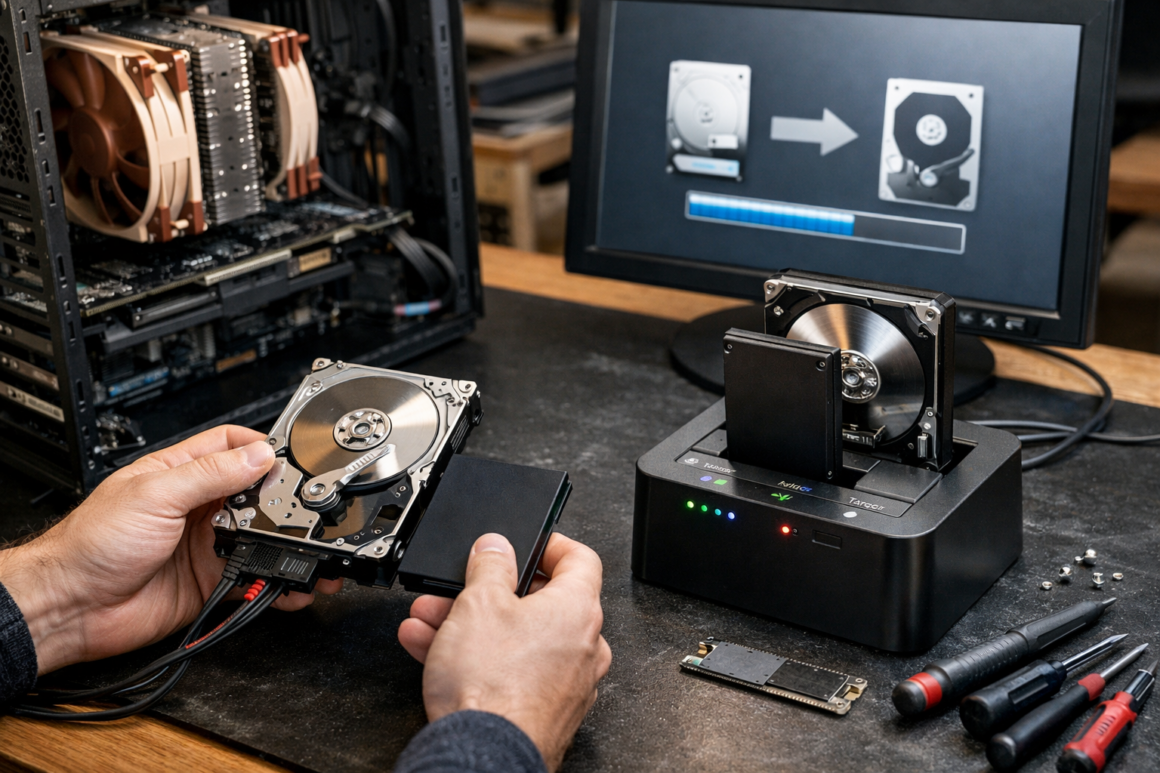
Cloning works at the disk level instead. It reproduces every sector — boot records, hidden recovery partitions, application data, all of it — so the new drive behaves like the old one, just faster and bigger.
Modern tools with dedicated data migration features even handle the awkward cases automatically, like moving from a large hard drive to a smaller SSD or adjusting partition alignment so the new drive performs properly.
The Manual Method’s Costs Are Hidden Until It’s Too Late
The drag-and-drop approach feels free, but tally the real bill. There’s the OS reinstall, the driver hunt, and reinstalling every application one by one.
Then come the licenses. Plenty of software ties activation to specific hardware or demands keys you saved in an email account you closed in 2019. Add browser profiles, VPN configurations, printer setups, and game saves stored in obscure AppData folders, and “just copy your files over” quietly becomes a multi-week scavenger hunt.
The worst part is what you don’t notice missing. Nobody remembers their tax software’s data folder until April.
You Still Need the Right Hardware on Both Ends
A clone needs somewhere to go, and the destination drive deserves a little thought. It must have enough capacity for the data being moved — not necessarily the full size of the old disk, since good cloning tools skip empty space.
Connection method matters too. Cloning over a USB 2.0 adapter turns an hour-long job into an overnight one, so a decent enclosure or dock pays for itself immediately. PCWorld maintains a regularly updated roundup of the best external drives if you want a fast intermediate drive that can pull double duty for backups afterward.
For NVMe-to-NVMe upgrades, check whether your motherboard has a second M.2 slot before buying any adapters at all. Cloning internally over PCIe is the fastest option there is, and plenty of people order a USB enclosure only to discover they never needed it.
A Clone Is Also a Free Insurance Policy
Here’s the underrated bonus: the moment a clone finishes, you’re holding a complete, bootable copy of your system. If the new drive turns out to be defective — it happens more than vendors admit — you pop the old one back in and lose nothing.
That old drive shouldn’t retire after the upgrade, either. Wipe it and fold it into a proper backup rotation, or use it as extra capacity in a home server.
We discussed how centralized storage changes the whole backup picture in our complete guide to NAS for homes and small studios, and a freshly freed drive is a cheap way to start.
One caution: a clone is a snapshot, not an ongoing backup. It captures one moment, so it complements a regular backup schedule rather than replacing it.
Your Saturday Is Worth More Than This
The manual method survives on a myth — that doing things the hard way is somehow more thorough. It isn’t. It’s just slower, and it leaks data at every step: the forgotten folder, the lost license, the setting you’ll miss in a month.
Cloning moves your entire digital life in one pass and hands you a working spare drive as a parting gift. Upgrade the drive, keep the weekend.
If you enjoyed this article about why disk cloning beats manual file transfers, be sure to check out more engaging content from our site.